Foreach TechnologyForeach Technology
Home
Products
Applications
About Us
Contact & Partnership
简体中文EnglishEspañolFrançais한국어Русский
Home
Products
Pump SeriesValve SeriesTubing SeriesFitting SeriesProbe SeriesSmart Control SeriesTubing Assemblies
Applications
All applicationsIVD DiagnosticsLife SciencesLaboratory AutomationAnalytical InstrumentsEnvironmental MonitoringSynthetic BiologyIndustrial Inkjet Printing
Resources
Frequently Asked QuestionsDatasheetsFluid Resistance CalculatorFitting ReplacementInstallation GuidesMaterial CompatibilityTechnical ArticlesCompany News
About Us
About ForeachR&D and ManufacturingQuality System and QualificationsMilestonesForeach Culture
Contact & Partnership
Contact UsBecome a Distributor
  • Pump Series
  • Valve Series
  • Probe Series
  • Fitting Series
  • Tubing Series
  • Control Series
  • Tubing Assemblies
  • All applications
  • IVD
  • Life Science
  • Lab Automation
  • Analytical Instruments
  • Environmental Monitoring
  • Synthetic Biology
  • Industrial Inkjet Printing
  • Frequently Asked Questions
  • Datasheets
  • Fluid Resistance Calculator
  • Fitting Replacement
  • Installation Guides
  • Material Compatibility
  • Technical Articles
  • Company News
  • About Foreach
  • R&D & Manufacturing
  • Quality & Compliance
  • History
  • Foreach Culture
  • Inquiry Form
  • Contact Information

Shenzhen Foreach Technology Co., Ltd.

Address: 13th Floor, 2nd Building, Yufengda Industrial Park, 1008th Guang Qiao Boulevard, Guangming District, Shenzhen 518132 CHINAView Map

Email: [email protected]

Tel: +86 755 8655 3831

LinkedInYouTubeFacebookInstagramX

© 2026 Shenzhen Foreach Technology Co., Ltd. All rights reserved.

Privacy Policy··Photo credits

Home/Applications/Industrial Inkjet Printing/Industrial Inkjet Printer Fluidics Guide/Ink Recirculation & Return
< Back

Selecting Ink Recirculation and Return Components for Industrial Inkjet Printers

Application guide

A through-flow printhead needs both sufficient circulation and nozzle meniscus pressure within limits during idle, printing and restart. Before selecting a return pump, trace the actual loop. Record head inlet and outlet pressures, return flow and nozzle-check results together.

Application guide

Industrial Inkjet Printer Fluidics Guide

Industrial Inkjet Printer Fluidics Guide
Diaphragm pump selection
Ink Supply & RefillInk Recirculation & ReturnPrinthead Cleaning & Waste Ink
Tubing Assemblies and Fittings for Industrial Inkjet Printers
Fixed Ink Lines and Tubing AssembliesInk Tank Changes and Maintenance Quick Disconnects
Ink Filtration, Check Valves and Flow Control
Ink Filtration for Industrial Inkjet PrintersCleaning Fluid Switching and Branch Isolation

On this page

Identifying the circulation pathCirculation flow and pressureLow return flow and white ink restartMiniature liquid diaphragm pump selectionReferences

01Which part of the printhead does ink actually pass through?

Use the port diagram for the specific head to identify the inlet, outlet and return destination. If only the tank or a bypass line recirculates, measured return flow describes that section alone. For a through-flow head, check that the flowmeter measures ink passing through the head. Ink supply and refill calculations use bulk ink consumption, which is a different quantity from head circulation flow.[6][7]

The pressure difference from head inlet to outlet affects through-flow. Meniscus pressure affects whether the nozzles hold ink. Even with the same return flow, a shift in both supply and return pressures can cause nozzle weeping or air entry. Obtain the head supplier's pressure reference, operating window and circulation requirements before placing the pump and regulators.[7][8]

02How to assess circulation when switching between idle and print

Supply section→through-flow printhead→Return branch→Designated tank
Example return path with a through-flow printhead[1]

The circuit design determines whether the return branch needs a separate pump.

At the same ink temperature and tank level, record return flow and head inlet and outlet pressures at idle, at print start, under the target print load and at print stop. Use the gauge or absolute pressure reference specified in the printhead manual. Capture transients because pump pulsation or valve switching can push nozzle pressure outside its window even when the average is acceptable.[5][7]

Compare DPL30-DB and DPL60-DB where the circuit has a separate liquid transfer duty, such as transfer from the return tank to the supply tank. Measure actual flow in that section. If the pump drives ink directly through the head, also measure pressure ripple at the head and check the printed pattern. Free-flow ratings alone do not establish that nozzle pressure is acceptable.[6][3][4]
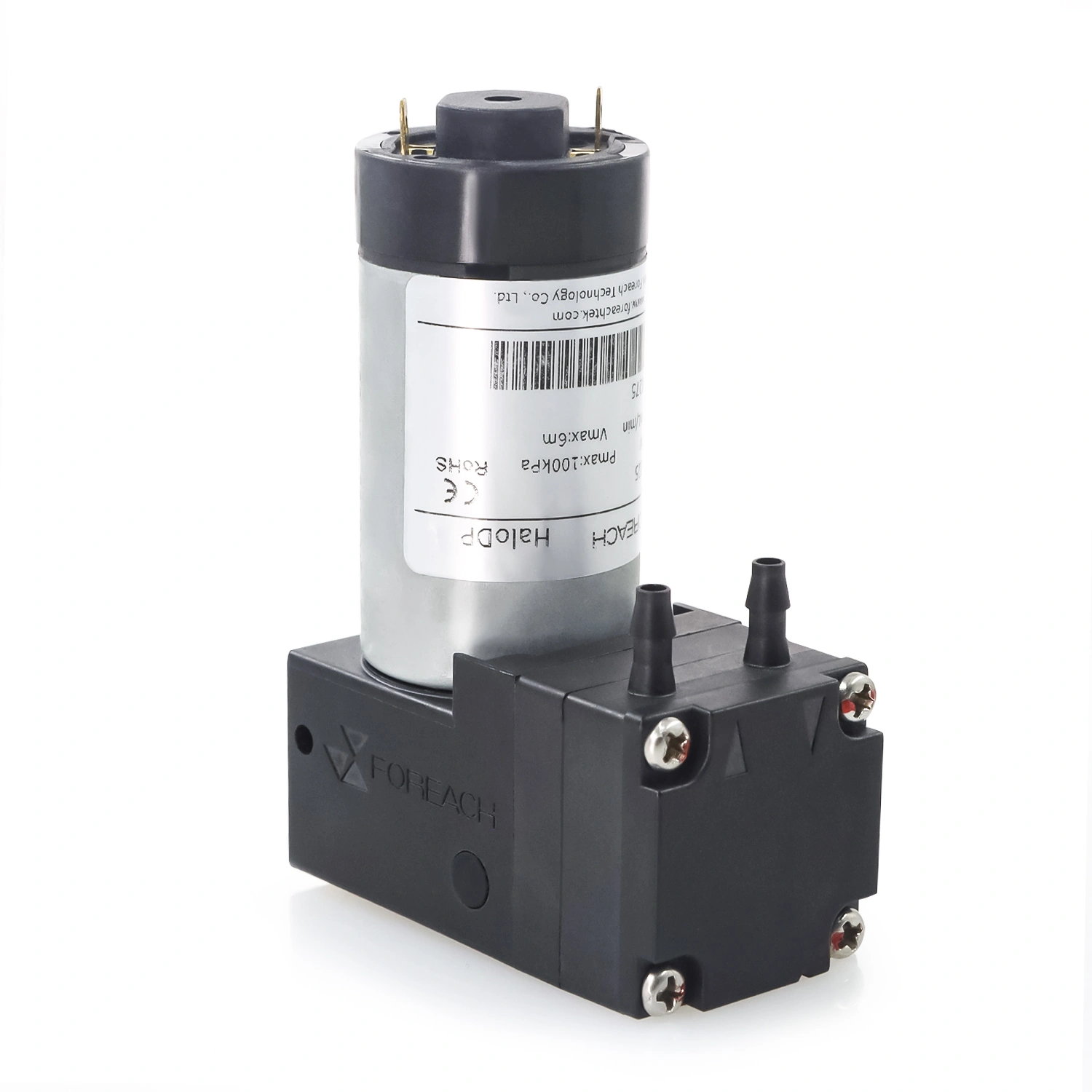
  • DPL30-DB miniature liquid diaphragm pump

    DPL30-DB miniature liquid diaphragm pump

    For a lower-flow independent return branch, fit the production return line and measure flow reaching the tank during idle and printing.

    View product details
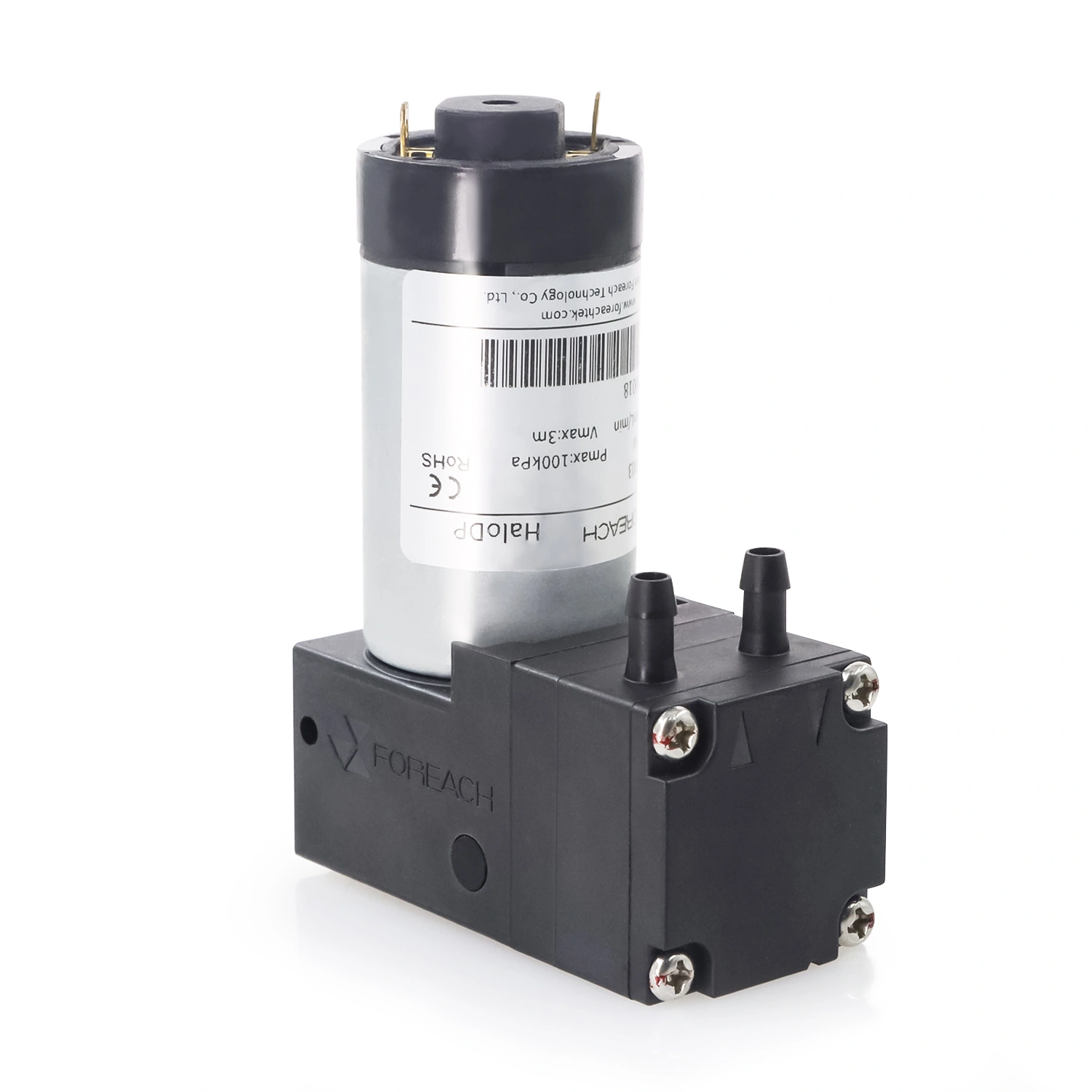
  • DPL60-DB miniature liquid diaphragm pump

    DPL60-DB miniature liquid diaphragm pump

    For higher return-flow requirements, compare this model with DPL30-DB in the same branch. Record pressure changes across the head as each pump starts and stops.

    View product details

03Where to start if return flow drops or white nozzles drop out after restart

If return flow has fallen, restore the baseline ink temperature and valve positions. Measure the pressure drop across the filter and check bends and bore restrictions in the return line. If flow is normal but nozzles weep after printing, or bubbles and missing nozzles appear at startup, compare head inlet and outlet pressures with nozzle behavior. PDM5 can measure absolute pressure in a pressurized section within its range, accuracy and wetted-material limits. Use an instrument suited to the head's pressure window for small negative nozzle pressures.[9][7]

Validate white ink over the actual idle interval and the manufacturer's prescribed standby sequence. Keep a nozzle check from continuous printing. Record restart time to normal flow, the first nozzle check and the stabilized pattern. If flow has recovered but the first pattern has missing nozzles or uneven white coverage, use the white ink circulation and pigment settling guide to inspect the tank bottom, side branches and the feed near the head before adjusting circulation.[2][7]

04Miniature liquid diaphragm pump selection

Published specifications and candidate duties[3][4]
ModelFree flowRated pressureCandidate circuit duty
DPL30-DB300 mL/min100 kPaEvaluate for lower-flow ink supply, return or small liquid-waste branches.
DPL60-DB600 mL/min100 kPaEvaluate for supply or return branches requiring higher operating flow.

The published specifications use purified water. Verify installed flow and wetted-material compatibility with the intended ink and cleaning fluid in the complete circuit. Free flow and rated pressure are separate specifications.

References

View references (9)
  1. [1]Ink supply, return and circulation pumps compared
  2. [2]White ink circulation pump selection and pigment settling
  3. [3]DPL30-DB product specifications
  4. [4]DPL60-DB product specifications
  5. [5]KNF and Megnajet case study on ink supply and recirculation
  6. [6]KNF guide to pumps for drop-on-demand inkjet supply, recirculation and maintenance
  7. [7]Xaar TF Technology white paper on through-head recirculation and nozzle pressure
  8. [8]Xaar Midas HV HFR ink supply system datasheet
  9. [9]PDM5 pressure module

Related Products

DPL30-DB miniature liquid diaphragm pump

DPL30-DB miniature liquid diaphragm pump

DPL60-DB miniature liquid diaphragm pump

DPL60-DB miniature liquid diaphragm pump

Related Technical Articles

What Is the Difference Between an Ink Circulation Pump, Ink Supply Pump and Ink Return Pump?

Ink supply pump, ink return pump and ink circulation pump are fluidic functions, not three fixed mechanical pump types. A supply pump moves ink toward a sub-tank or printhead, a return pump moves unused ink back toward a reservoir, and a circulation pump maintains flow around a loop. Whether those functions need one, two or several pumps depends on the printhead, reservoirs, gravity or vacuum control, filters and supply-return architecture.

2026-09-03View Details

300 or 600 mL/min? How to Select an Ink Circulation or Ink Return Pump

Define the target working flow in the ink circulation or return circuit, then calculate or measure system differential pressure at that flow. The DPL30 300 mL/min and DPL60 600 mL/min values are no-load flow classes, not guaranteed flow after adding ink, filters, tubing and a printhead. The closer the target is to the nominal limit, the more important curve and installed testing become.

2026-09-03View Details

Why Is White Ink Recirculation More Difficult, and How Should a White Ink Circulation Pump Be Selected?

White ink normally uses high-refractive-index, high-specific-gravity pigment for opacity. TiO₂ is common, but density difference, dispersion, agglomeration and idle time affect settling. The objective is not simply a larger pump flow. The reservoir, tubing, filter and printhead region need controlled flow that reaches critical dead zones while respecting printhead pressure, ink condition and material compatibility.

2026-09-03View Details

Discuss your ink circuit

Share the printer model, ink and cleaning fluid, target flow, temperature, and operating pressure.

Discuss your application